Basic linux commands
Hello, I started my journey as a software tester and later discovered that I am interested in DevOps. So as a transiting of career to DevOps engineer. I am practicing the #100daysofdevops Challenge for self-improvement and learning the process of DevOps. I am sharing my experience with you, you can contact me at vishalabhosale30@gmail.com
Hello Everyone, so Today is day 2 of learning DevOps #100daysDevops
some basic commands I have already shared in a previous blog in this blog we can see some more important commands needed while working with DevOps.
ls - List of files or directories available in pwd(present working directory)

ls -l It is used to see the files in list format with permissions and date and time of creation.
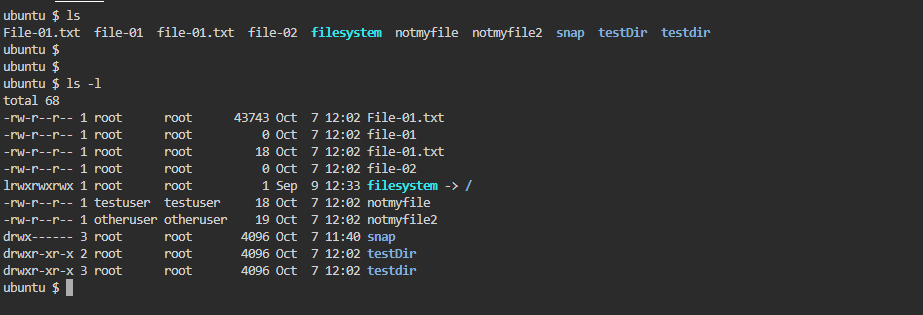
ls -a : it is used to check the hidden files from present working directory

ls -i : it is used to list the files and directories with index numbers inodes

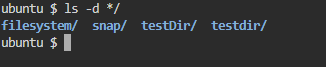
ls -d */ : it is used to list only directories.(we can also specify a pattern)
let’s see some Directory commands
pwd: To check which directory we are currently in.

cd Dir_Name: It is used to change the directory to the provided path

cd..: It is used to change to the previous directory.

mkdir directoryName: It is used to make a Directory for the same location.
